
I was one of the lucky people to buy multiple C.H.I.P’s as part of the Kick Starter campaign. So far I’ve honestly not used them for much and they were gathering dust.
As part of my ventures into Home Assistant, I wanted zoned audio. So it made sense to try Shairport-Sync on the Chip’s. In general is should be easy enough to get it sorted, in 3 lines your done. Unfortunately previous projects on the Chip’s made them unusable, so they needed re-imaging. Unfortunately the company is no longer supporting them, but thankfully their guides, flash images and community are still preserved.
I had tried previously to reimage using windows running VirtualBox, but there was USB driver issues. A physical Ubuntu box worked fine. This script makes flashing them a breeze. Followed by this guide to update them to Debian Stretch. Now I was able to install Shairport-Sync. I added I2C screens driven by Python 3.8 to display song and status information.
To get the exposed Shairport-Sync information, I used shairport-sync-metadata-reader to pipe the information to a modified version of consume-metadata.py
Current version of consume-metadata.py: Shows hostname on start-up, then speaker power state (see below), and current Shairport-Sync status. When audio is sent to the Shairport-sync service, it displays the metadata. I use a basic method to get the status info – Shairport-Sync allows running scripts before and after sessions, I use small bash files to echo the current status to a file. That file is then referenced by the screens Python script. Another modification made to the original script is that it only waits 2 seconds for new metadata before updating the screen. This ensures it can update other items on the screen in a reasonable time.
For one of the chips, I revisited an old pair of speakers. I wanted to fully integrate them by automatically turning them on and off with the Shairport-Sync sessions.
To determine the amps power status, I’m using an optocoupler connected to a GPIO pin, and the power LED. If high, it’s on, if low it’s off.
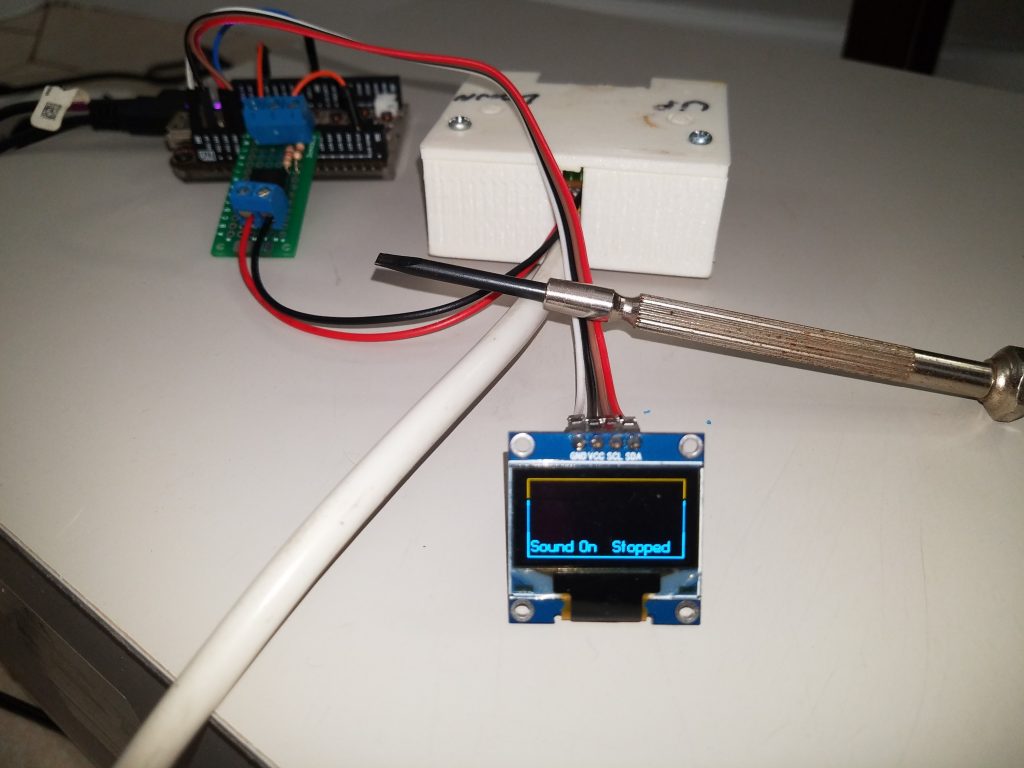
To toggle the power of the amp, press both volume buttons. To integrate this feature, I used 2 additional optocouplers linked between GPIO pins and the amp volume wires. So now, with a few rushed bash scripts, I can detect if the amp has power and adjust it to match the current Shairport-Sync state.


The additional optocouplers make is possible to change the amps volume using software. At this stage it has not been implemented because the volume is set by the soundcard through the Shairport-sync service.
- To do:
- Design and 3D print a case to keep the electronics safe.
- Power the Chip using the amps internal power, the volume wires run @ 12v.
References: Chip Community, Bye C.H.I.P, Character Display with Python, C.h.i.p.FlashCollection.